Darktable: My choice in editing software
My go-to when it has been to editing software for photos I have taken has always been Darktable, I am after all using Arch Linux “insert meme here”.
The feel and generic workflow
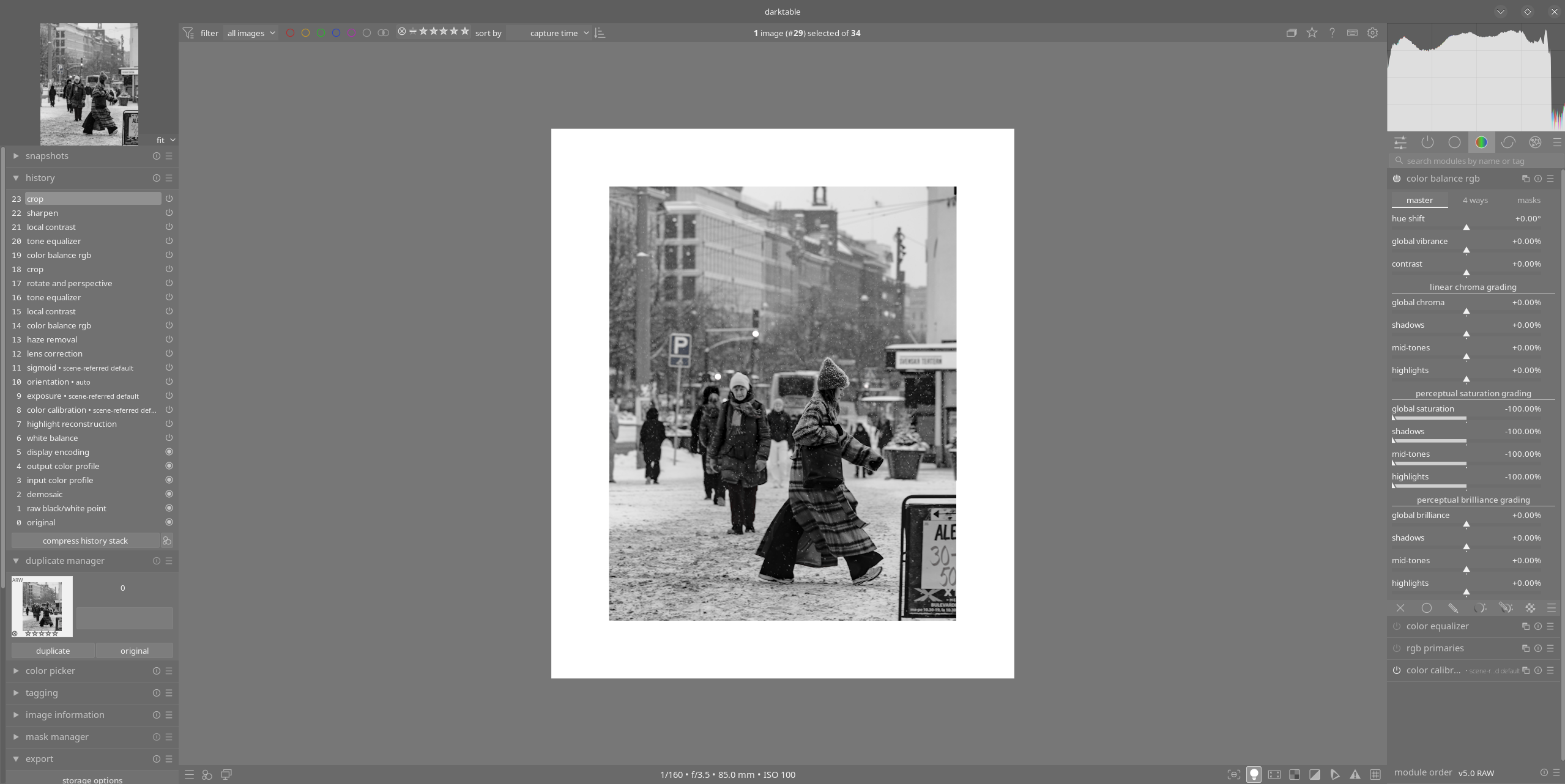
Darktable is definitely a different thing than Lightroom, it delivers all the control you want, but with a little bit of a steep learning curve, some of the best parts about it is that it is free and open-source, you don’t have to pay any money for it, subscription fees or any fee to break your subscription, looking at you Adobe. Other than that, the overview going from their “Lighttable” to “Darkroom” is nice, your collections you can import directly to your library in Darktable aka. Lighttable, and in selecting and working on a RAW-file you end up in the Darkroom, of course. In here you have a history on your left, and all the modules on your right, at least in my layout. You can also customize what modules you would like to have available for your own workflow. Me, I have a list of lens correction, haze removal, denoising as my standard go-to. And then I end up in the color balance rgb, unless I go to change the tone equalizer first to check the exposure. Then there’s the generic rotate and perspective and crop. This is my “normal” workflow at least after a culling of tagging my photos in Lighttable from rejected “R” to “4” maybe and “5” absolutely.
Downsides?
I guess the potentially worst part about the Darktable software is that it has a limited amount of support, here’s a list of the major ones, taken from their own page
File Formats That Are Not Supported
The following formats are explicitly not supported:
Apple ProRAW DNGs
CinemaDNG lossless (Blackmagic, some DJI, etc.) and lossy (Blackmagic)
DNG 1.7 using JPEG XL (Adobe enhanced, Samsung Expert RAW)
Fujifilm lossy RAFs
Nikon high efficiency NEFs
Phase One other than IIQ L
Sony ARW 4.0/5.0 downsized lossless (“M” for full-frame, “S” for full-frame & APS-C) and ARW 6.0 lossy
If you want to contribute to this you can head over to https://raw.pixls.us and check what they are missing of RAW-files, to help with the development.
Do I recommend it?
Well, this is a bit of a big question to answer, and it also comes down to your workflow and how used you are to the “easy” tools of Lightroom or other software. Darktable does not have any AI inbuilt help with anything, so you have to do everything on your own, this becomes very noticeable when you start masking things I would say, not that I have been using Lightroom in literally forever. If you want to take a look at it, and maybe try it out for yourself, you can head over to the Darktable webpage to install it and check out the User manual here.